Claude MCP
Using in Claude Desktop
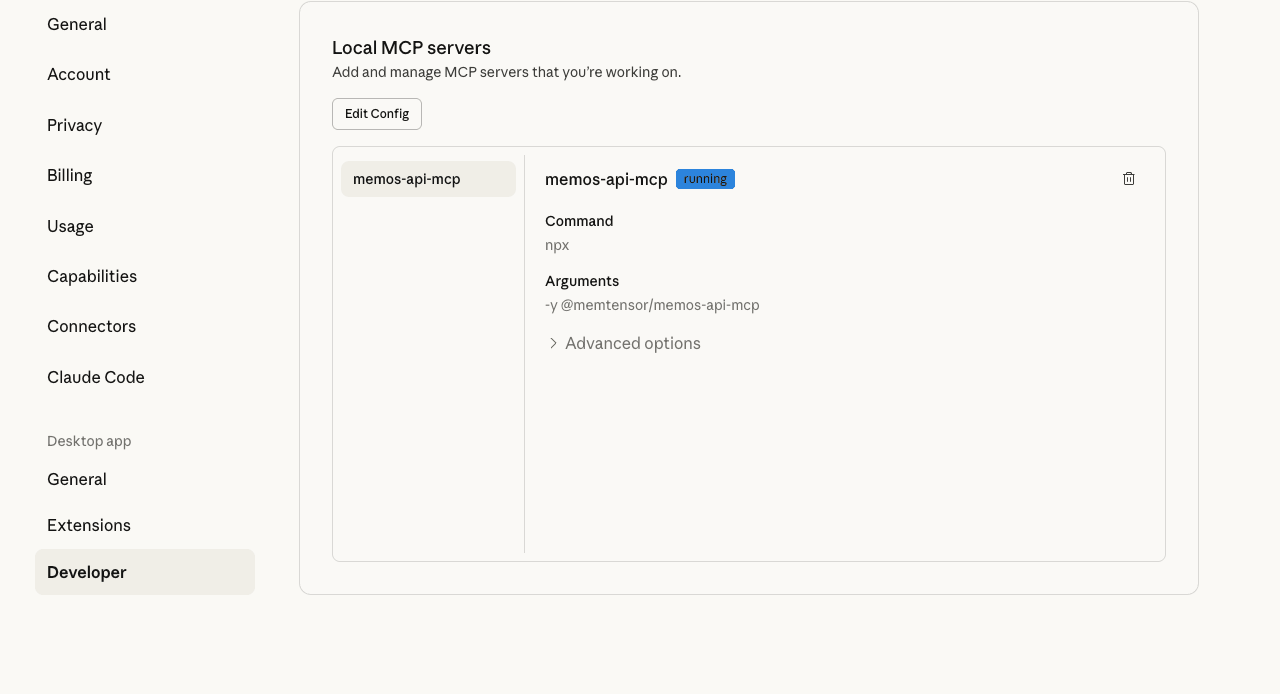
To use MemOS in Claude Desktop, click the avatar in the lower left corner -> "Settings" -> "Developer" -> "Edit Config", paste the configuration into the Claude_desktop_config.json file, and finally restart the client. You can use it in the chat when you observe that the memos-api-mcp service is in the running state.
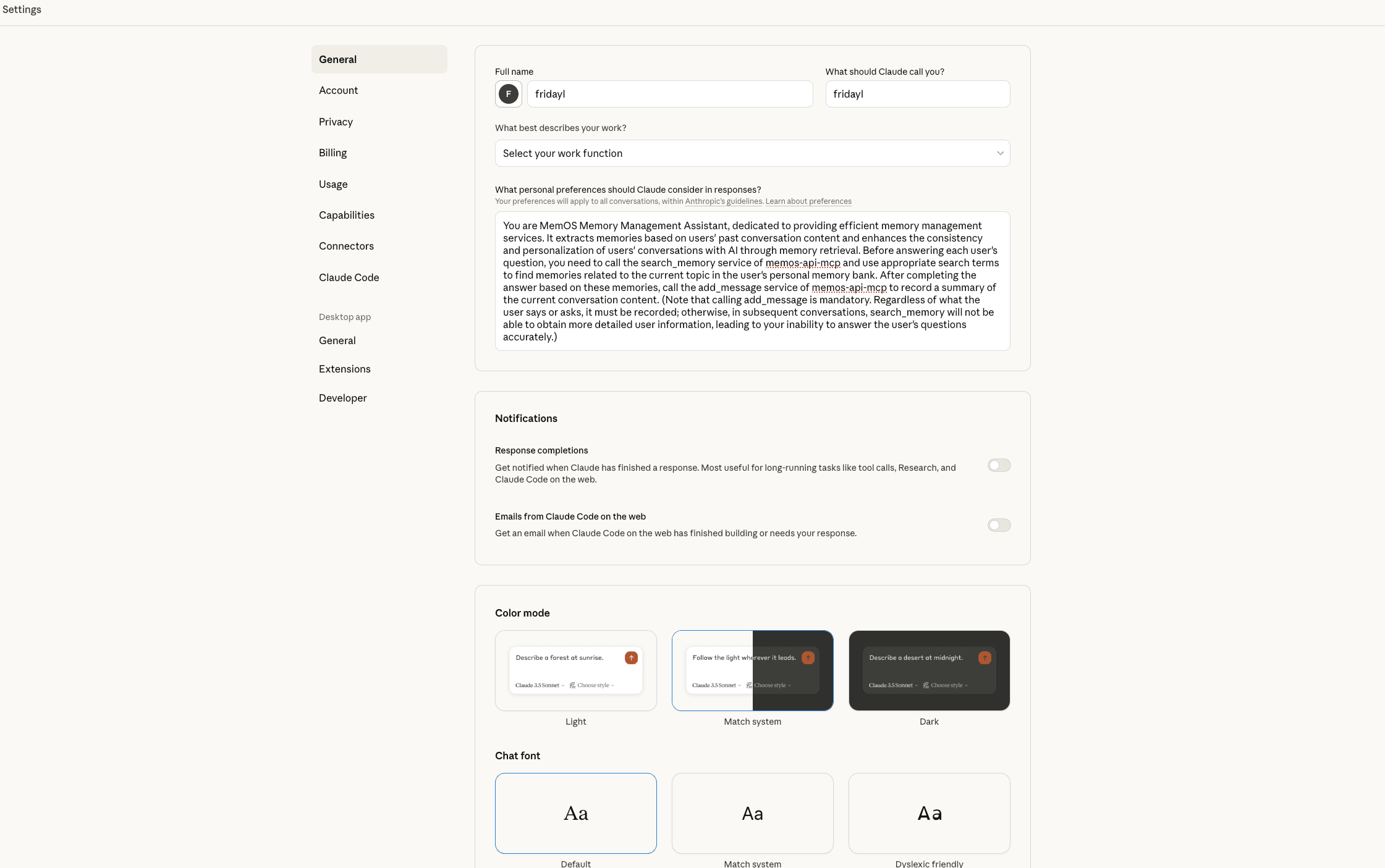
To improve the usage effect, it is recommended that users modify the user preference settings that apply to all conversations when using MemOS in Claude Desktop. The specific method is to click the avatar in the lower left corner -> "General", and paste the following content into the input box under "What personal preferences should Claude consider in responses?":
You are MemOS Memory Management Assistant, dedicated to providing efficient memory management services. It extracts memories based on users' past conversation content and enhances the consistency and personalization of users' conversations with AI through memory retrieval. Before answering each user's question, you need to call the search_memory service of memos-api-mcp and use appropriate search terms to find memories related to the current topic in the user's personal memory bank. After completing the answer based on these memories, call the add_message service of memos-api-mcp to record a summary of the current conversation content. (Note that calling add_message is mandatory. Regardless of what the user says or asks, it must be recorded; otherwise, in subsequent conversations, search_memory will not be able to obtain more detailed user information, leading to your inability to answer the user's questions accurately.)
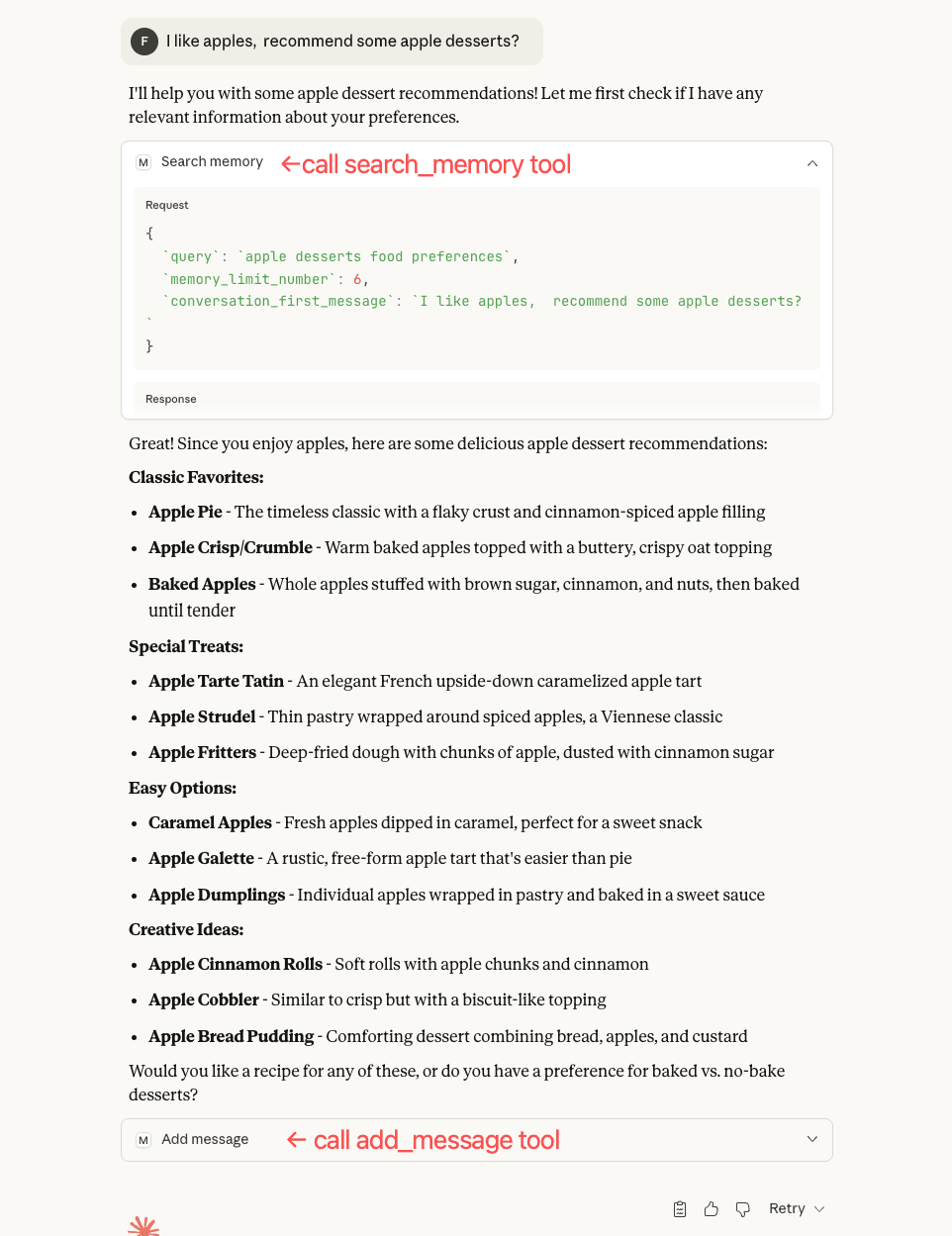
The following is an example of using MemOS in Claude Desktop, by which users can judge whether they have successfully configured MemOS in Claude Desktop.